


As April Fools Day fades away, so do the jokes and pranks that make you question reality for a moment.
But scammers? They don't take a break.
Spring is a peak season for cybercriminals—not because employees are careless, but because busyness and distractions create the perfect storm. This is when sneaky, convincing scams slip through unnoticed, disguised as routine work tasks until it's too late.
Here are three scams currently circulating—not targeting the naive, but sharp, well-meaning professionals focused on their daily duties.
Consider this: Would your entire team pause and recognize each scam before engaging?
Scam #1: Fake Toll or Parking Fee Alerts
An employee receives a text that says:
"You have an unpaid toll fee of $6.99. Pay within 12 hours to avoid penalties."
It names a familiar toll system like E-ZPass or SunPass appropriate for the location. The low amount seems harmless. Between meetings, they click the link and pay quickly.
However, the link is fraudulent.
In 2024, the FBI logged over 60,000 reports of counterfeit toll notifications—a number that surged by 900% in 2025. Researchers uncovered more than 60,000 fake websites designed to mimic state toll entities, revealing how lucrative this scam has become. Some victims even live in states without toll roads.
This scam succeeds because a small fee feels low-risk, and most have recently driven through tolls or parked downtown, making it believable.
The best protection: Authentic toll agencies never demand immediate payments via text links. Establish a firm rule: employees must visit official websites or apps directly to verify charges. They should not reply to such texts—not even to opt-out—as replying confirms active numbers to scammers.
Convenience tempts victims; disciplined procedures shield them.
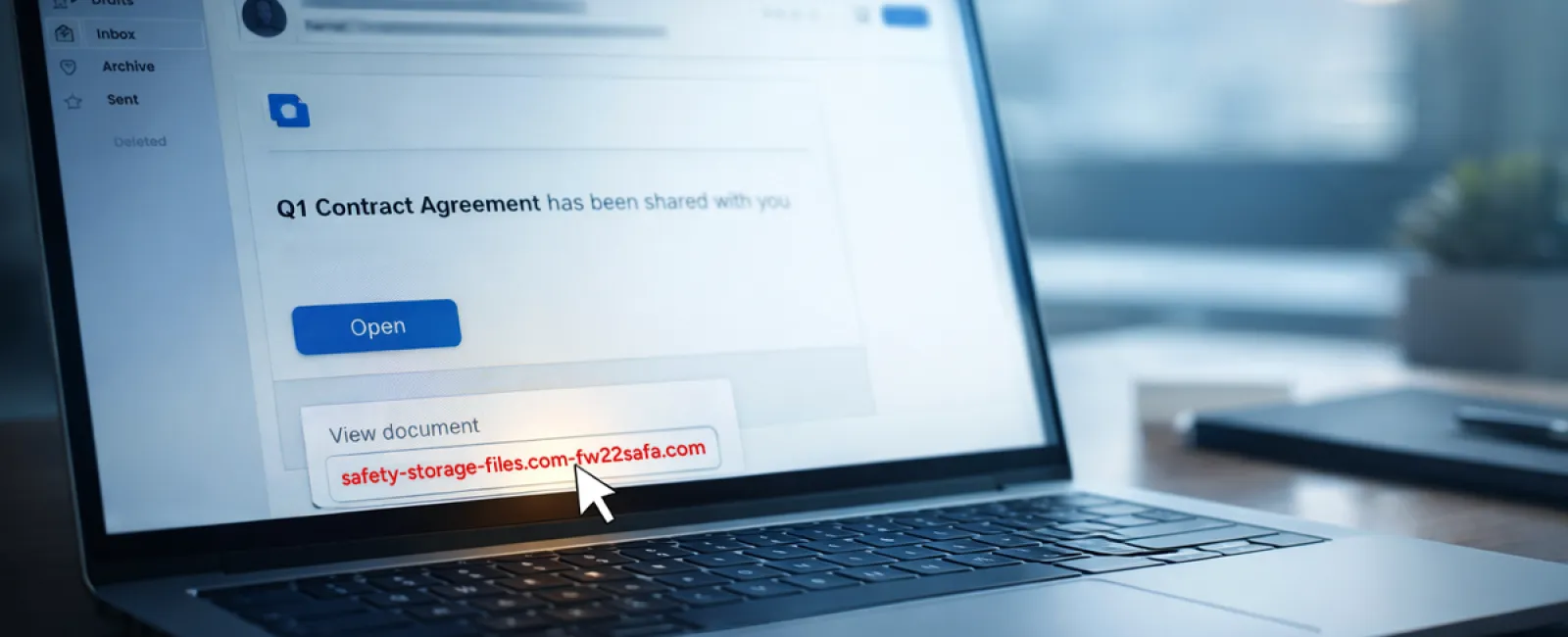
Scam #2: 'Your Document is Ready' Phishing
This scam fits seamlessly into everyday workflows.
Employees get emails claiming documents have been shared—like contracts via DocuSign, spreadsheets in OneDrive, or files in Google Drive.
The sender appears legitimate, and the message format matches genuine file-sharing alerts.
After clicking, victims are prompted to sign in and unknowingly give attackers their credentials.
Once inside, hackers breach company cloud platforms.
Such phishing attacks increased by 67% in 2025, targeting trusted platforms. Google Slides phishing scams alone jumped over 200% recently.
Employees are seven times more likely to click links from familiar platforms like OneDrive than random emails because these alerts look authentic.
Even more dangerous, scammers use compromised accounts to share malicious files, making notifications come from legitimate servers, bypassing spam filters.
How to guard against this: If an unexpected file appears, employees should avoid clicking embedded links. Instead, log into the service directly via browser to verify its existence. Companies can quickly reduce risks by limiting external sharing permissions and setting alerts for unusual login activity—configurable in about 15 minutes by IT.
Simple habits yield strong defense.
Scam #3: Highly Convincing Phishing Emails
Phishing emails aren't the glaring, clunky scams they once were.
A recent 2025 study found AI-generated phishing emails boast a 54% click rate, over four times higher than traditional attempts. Why? They look authentic—referencing actual company names, job titles, and workflows scraped from LinkedIn and websites.
Targeted scams are tailored by department—HR might receive fake employee verification requests, finance gets vendor payment changes. One test showed 72% clicked vendor impersonation emails—a 90% increase over other phishing types. These messages are calm, professional, urgent—but never alarmist. They blend in like any other routine email.
Defense strategy: Any request involving credentials, payments, or sensitive data must be verified through a secondary channel—phone calls, chat messages, or in-person checks. Employees should hover over email sender addresses to confirm domains before clicking and treat any urgency as a red flag.
True security relies on caution, not fear.
Bottom Line
These scams thrive on trust, authority, and the rush to act fast.
The problem isn't careless workers but relying on everyone always to slow down and make flawless decisions under pressure.
If a single hurried click can cause havoc, it's a process flaw—not a people flaw.
And the good news? These processes are fixable.
We're Here to Support You
We understand most business owners don't want another overwhelming project or the responsibility of training everyone on what to avoid.
They simply want peace of mind that their business is protected.
If you're worried about your team's exposure—or know someone who should be—let's have a no-pressure conversation.
Schedule a clear discovery call where we'll cover:
- The risks businesses like yours face today
- Common entry points during everyday operations
- Practical solutions to minimize exposure without slowing workflow
No scare tactics—just open dialogue and effective options.
Click here or give us a call at (210) 582-5814 to schedule your free Discovery Call.
If this doesn't apply to you, please share it with someone who might benefit. Sometimes simply knowing what to watch for turns a potential mistake into a safe refusal.


